 Anvil Tools
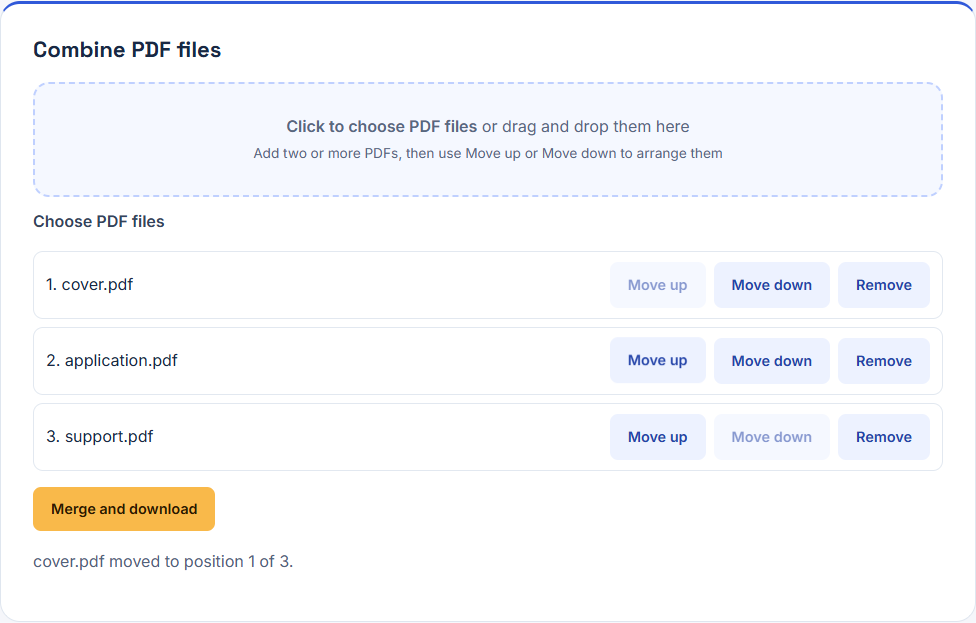
Test environment
Browser PDF Merge run using synthetic PDFs; output reopened with an independent PDF parser.
Fixture and expected result
Four pages in cover, application page 1, application page 2, support order; dimensions 420 × 594, 400 × 600, 401 × 601, and 360 × 480 points.
Reproduction steps
- Download the three source PDFs.
- Add them to PDF Merge and arrange cover, application, support.
- Merge and compare the download with the recorded four-page fixture.
- Inspect forms, signatures, bookmarks, links, and accessibility separately when they matter.
Observed result
The recorded merged fixture contains four pages in the expected whole-file order and retains the intentionally different page sizes. The merge does not standardize layout or run OCR.
Downloadable evidence
The fixture library publishes SHA-256 hashes for exact-byte verification.
What this test does not establish
The fixture uses simple unencrypted PDFs. It does not prove preservation of digital signatures, interactive forms, attachments, bookmarks, tags, or encrypted files.
Related tool and guide
PDF Merge · PDF Workflows: Merge Files, Convert Images, and Check the Result
Change history
- : Structured data, image dimensions, and fixture links reviewed.
- : Report organized under Anvil Tools Lab; evidence and limitations reviewed.